Document Assembly
Many people use xxllnc Expertsystemen to create documents, a process which is called document automation.
In the following sections, we will explain how you can create your own documents. These documents can be anything from simple reports stating a few facts to complex legal contracts.
Before we go into the practical and technical details, we provide a brief outline of the process below.
If this is the first time you’re using xxllnc Expertsystemen for document automation, we highty recommend taking the Guided Tour first.
The basics
At the very least, you’ll need both a template document and a xxllnc Expertsystemen model.
A template document can be any of the following:
- a Microsoft Word document (.docx),
- a Microsoft PowerPoint presentation (.pptx),
- a Microsoft Excel spreadsheet (.xslx),
- a HTML file (.html),
- a plain text file (.txt), and
- XSLT files (.xsl or .xslt)
All of the above template formats (except XSLT) produce documents of the same type, and can be optionally converted to the PDF format.
XSLT can be used to generated multiple formats, and works differently from the rest. This is currently not documented, but it is the format used to generate Auditf Trails in HTML, PDF and XML formats. See Audit Trails for more on current XSLT usage.
You create a template on your computer using either office software (for .docx, .pptx or .xlsx) or a text editor (for HTML, plain text and XSLT) and put the template in the same folder as the model file (.mdl), as shown in the image below.

You then add an action to generate the desired document.
From that moment on, you can put pieces of text, called text fragments, from the Studio into your template.
After you have done so, a download link to the generated document can be presented to the user.
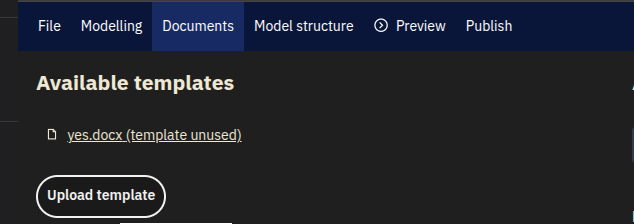
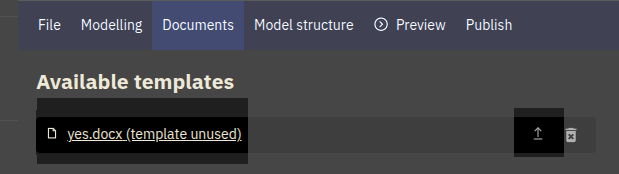
xxllnc Expertsystemen model
In your xxllnc Expertsystemen model, three important things are present.
- a link between the template file and the model itself (document-generating action)
- so-called text fragments: chunks of text that will be inserted into the template
- a download link for the user to access the document.
The Template
We’ll use a Word (.docx) template in the following examples, but the mechanics are the same for all template types (except for XSLT).
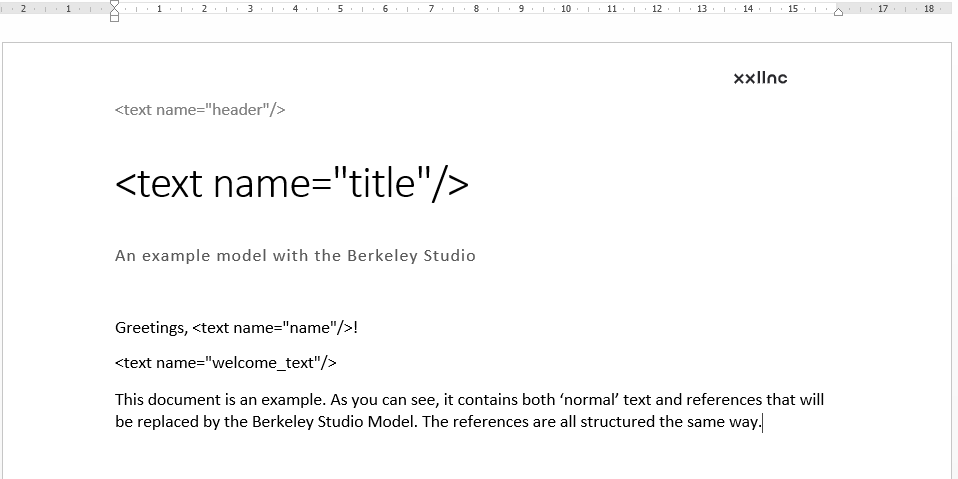
A template file consists of both ‘normal’ text and references.
The references are small pieces of html-like code that will be overwritten with text from your model.
Don’t worry: you don’t have to write this code yourself: xxllnc Expertsystemen will generate the references for you!
A big advantage of working xxllnc Expertsystemen and a template is that you can keep content and layout separated.
The layout is almost completely done in a dedicated application such as Word, Excel, Powerpoint or LibreOffice, while the more complicated text generation is done within the model.